 ThokDukaan
Confirm a UPI payment from a bank SMS
When a shop says it paid, check it against your bank SMS before the khata changes.
Step 1: Open Payments to confirm
Home → Needs attention shows how many are waiting. Tap one.
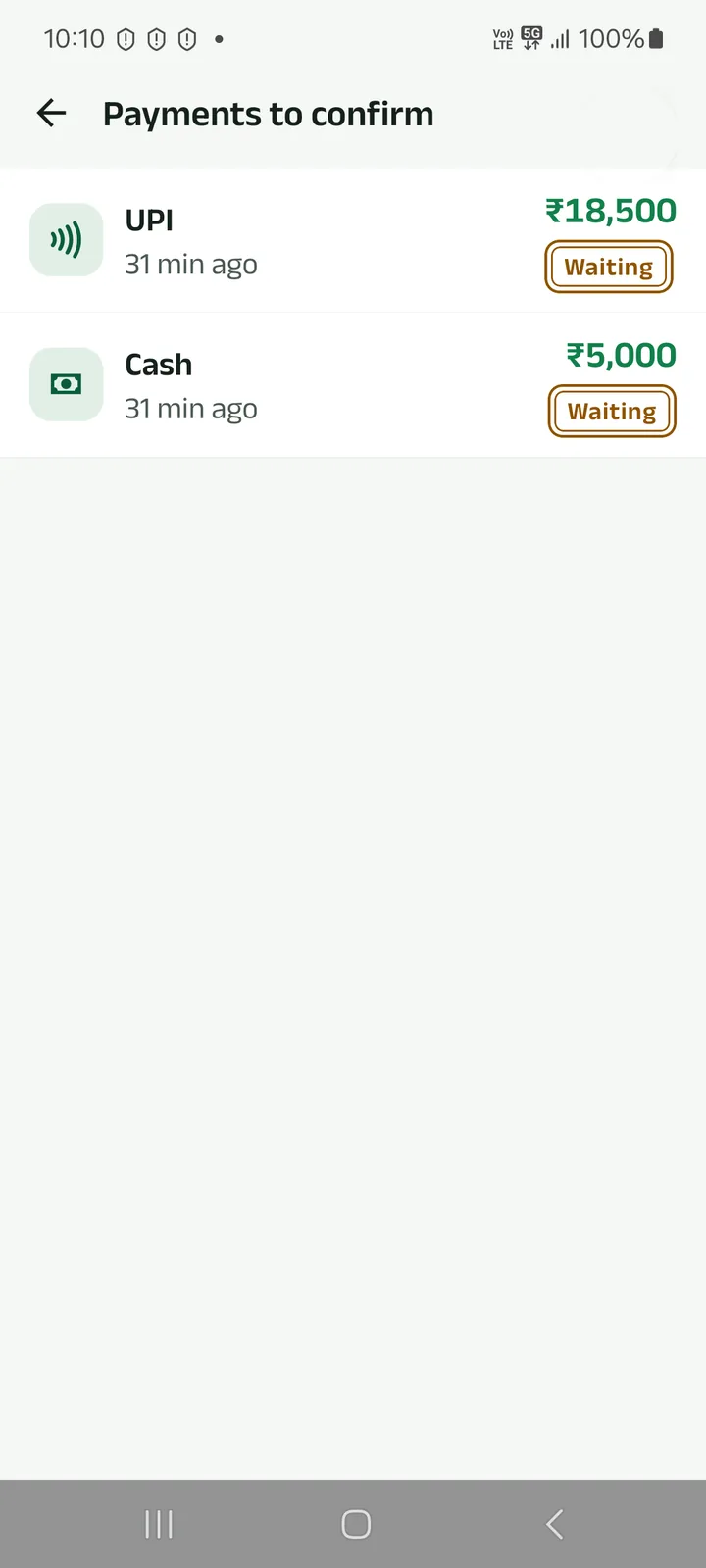
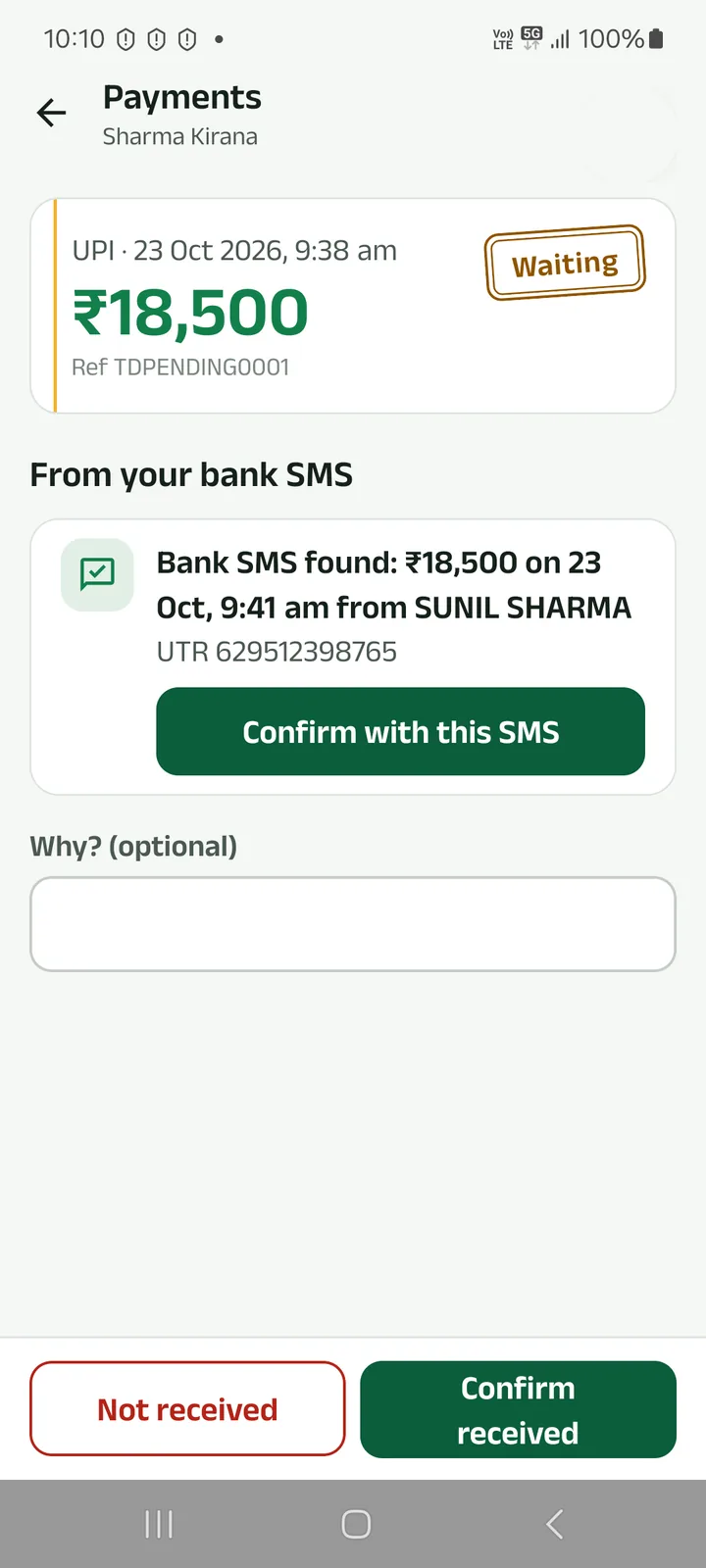
Step 2: Check the bank SMS the app found
With SMS access on, the app looks for a bank SMS with the same amount, time and payer, and shows its UTR. Tap Confirm with this SMS.
No SMS? Check your bank app, then tap Confirm received or Not received.
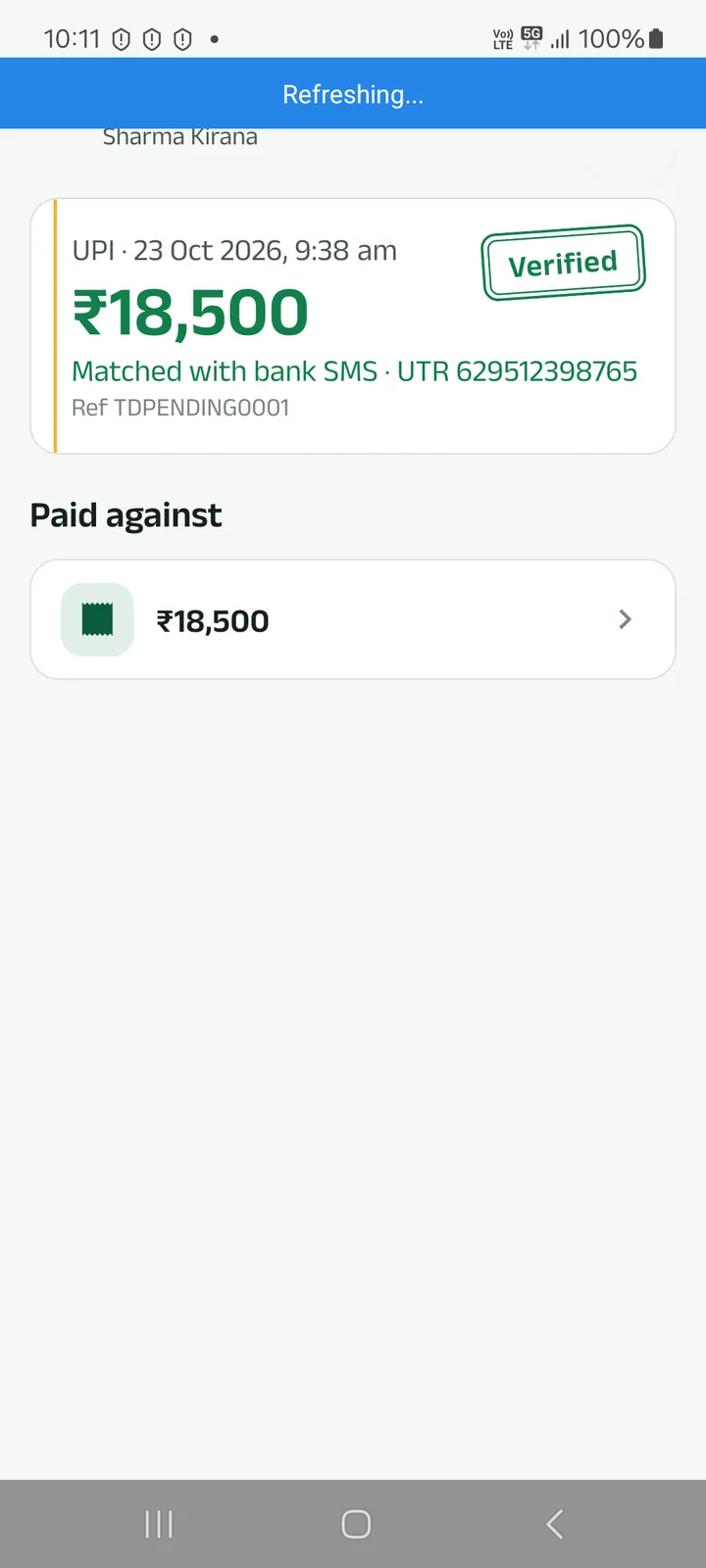
Step 3: The payment is verified
It is stamped Verified, with the bank SMS and UTR it was matched to.
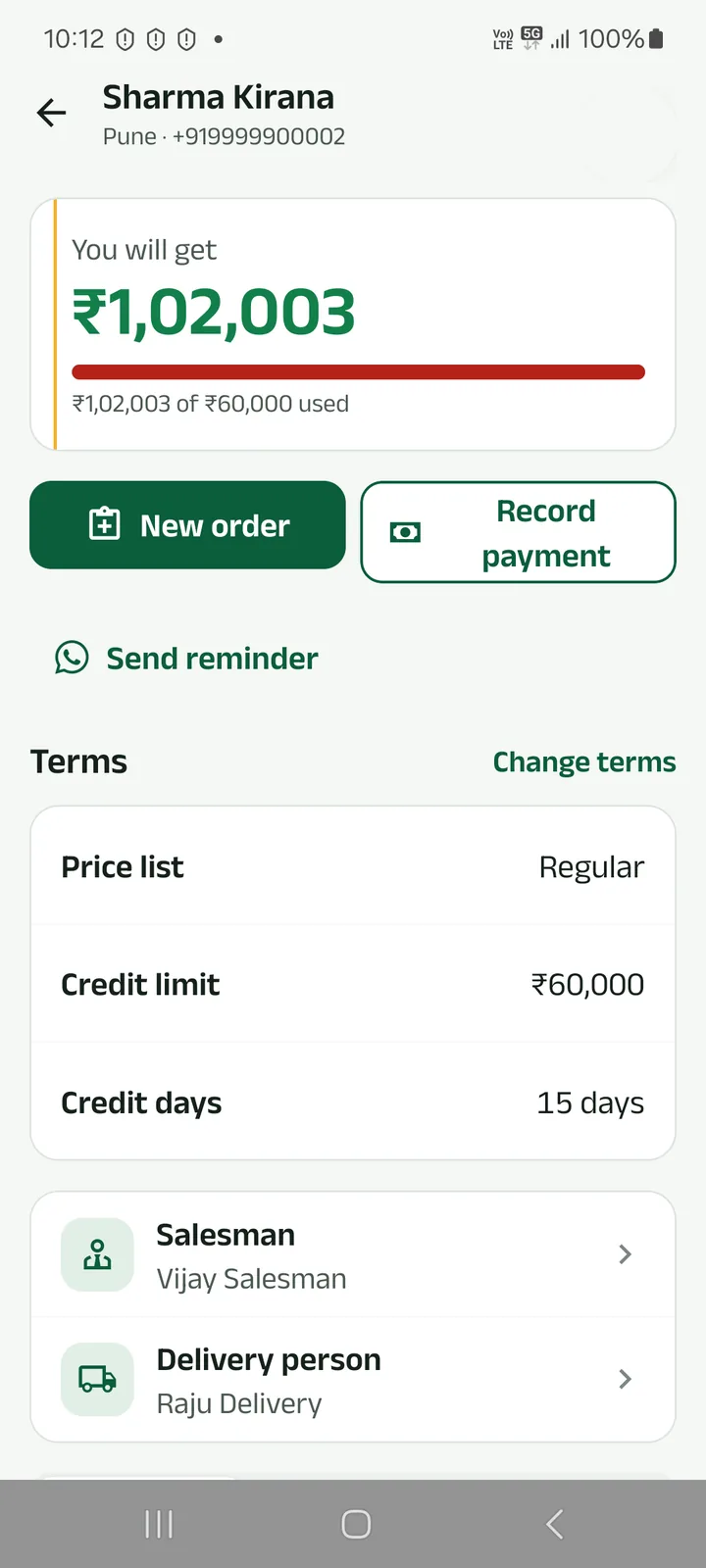
Step 4: The balance goes down
At once, in the khata both of you share.
Prefer to watch?
When a shop says it paid, check it against your bank SMS before the khata changes.
Next tutorials
Get started
Pick your language, sign in with your mobile number and set up your business in four short steps.
Add a product
Add a product with its name in your language, a category, GST, opening stock and a low-stock alert.
Make a counter bill and print the receipt
Bill at the counter, take cash, UPI or credit, and print a 58 or 80 mm receipt or share it.
Try it in the app
Everything above works the same on your phone.