 ThokDukaan
Order from your wholesaler
Order stock from your wholesaler’s catalogue at their prices, and follow it until it arrives.
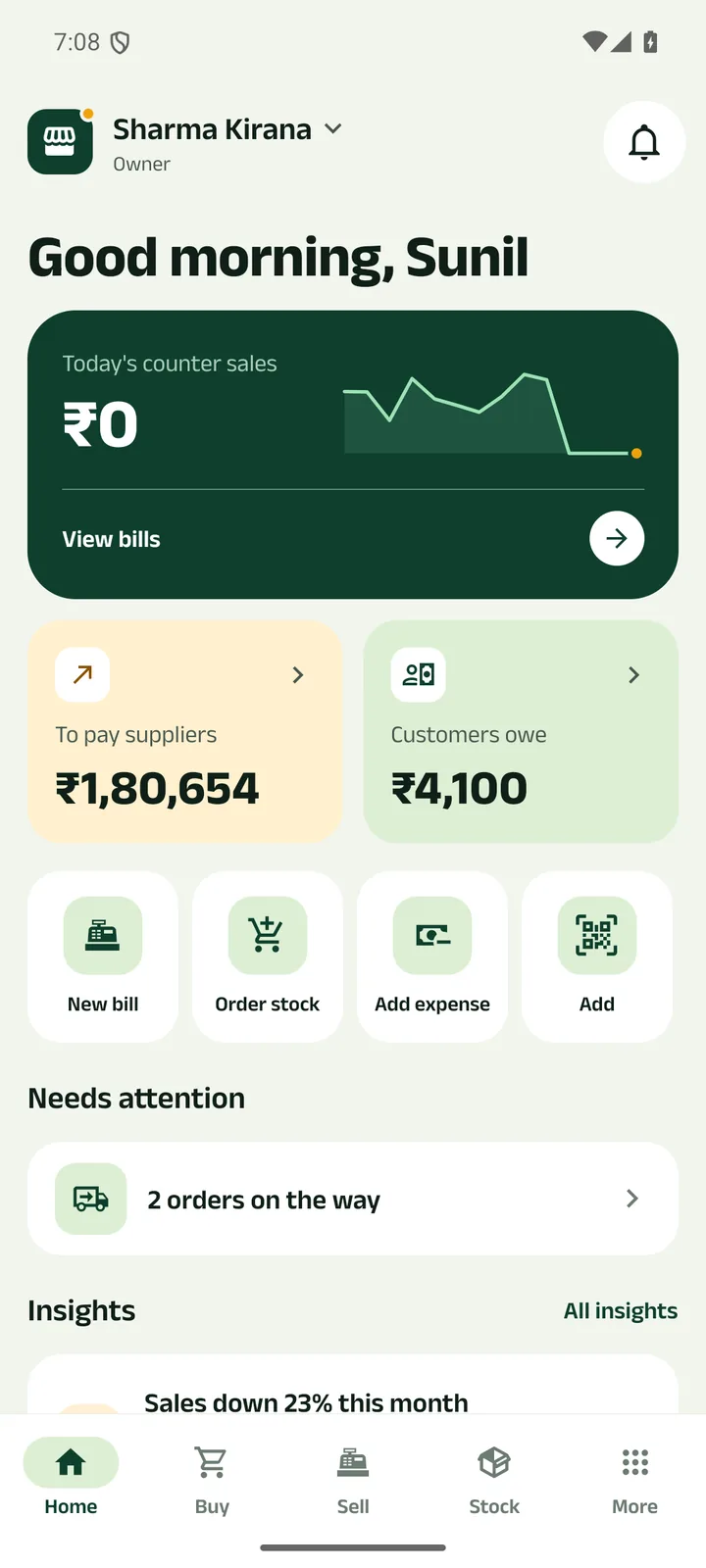
Step 1: Tap Order stock
Or open Buy and pick the wholesaler. You connect with a wholesaler once, by QR code or phone number.
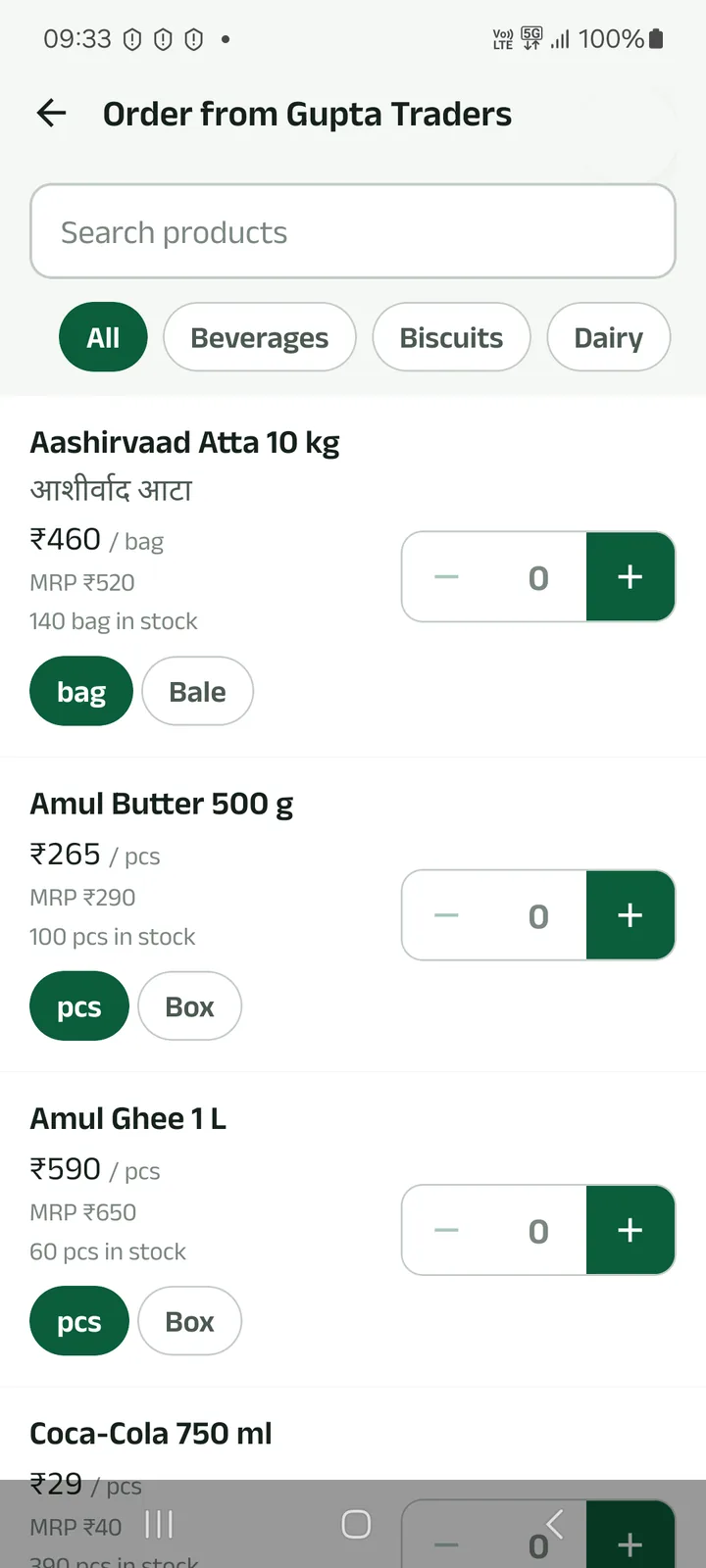
Step 2: Add items from the catalogue
Search or filter by category. Pick the pack (piece, box, bag, bale) and tap +.
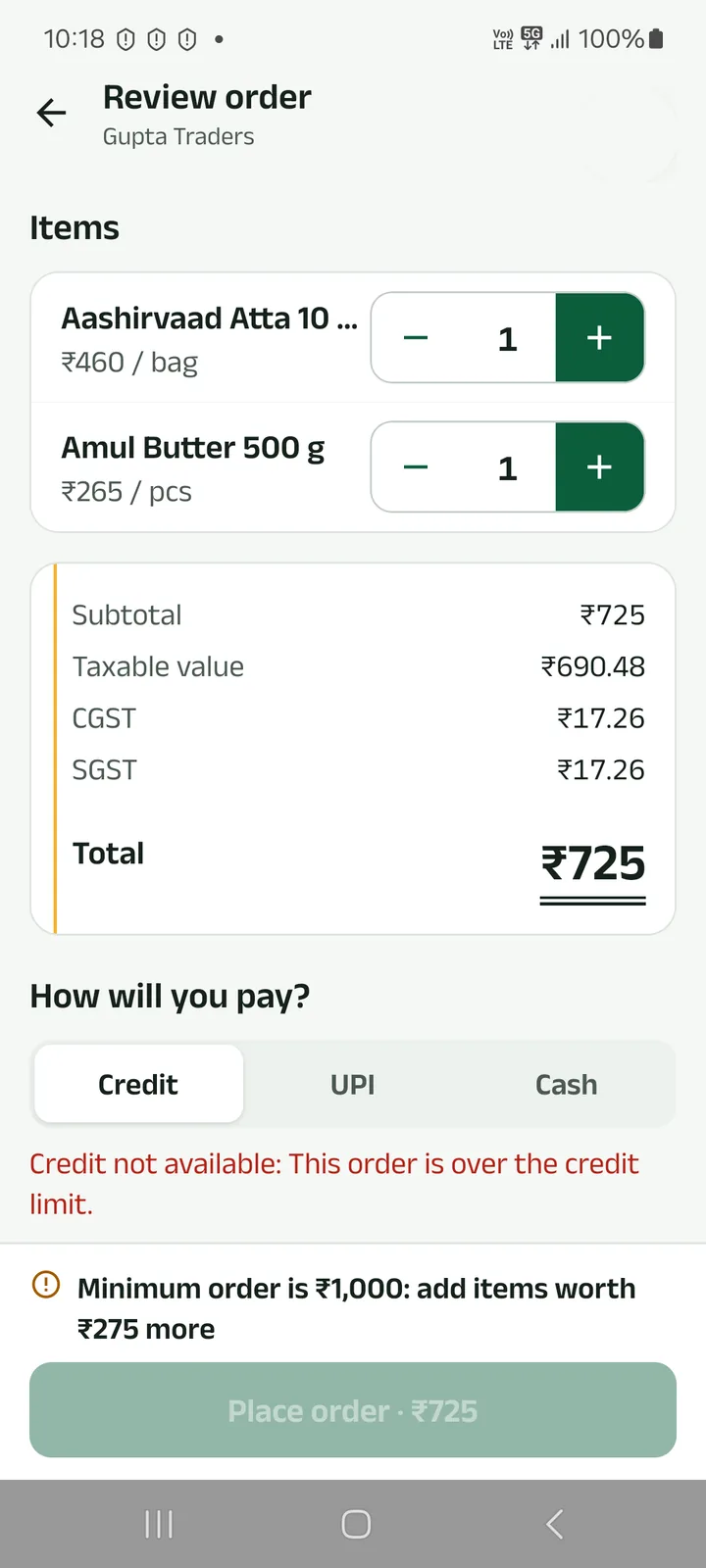
Step 3: Review and place the order
Choose Credit, UPI or Cash, and delivery or pickup. The app tells you if credit is over your limit, or if the order is below the wholesaler’s minimum.
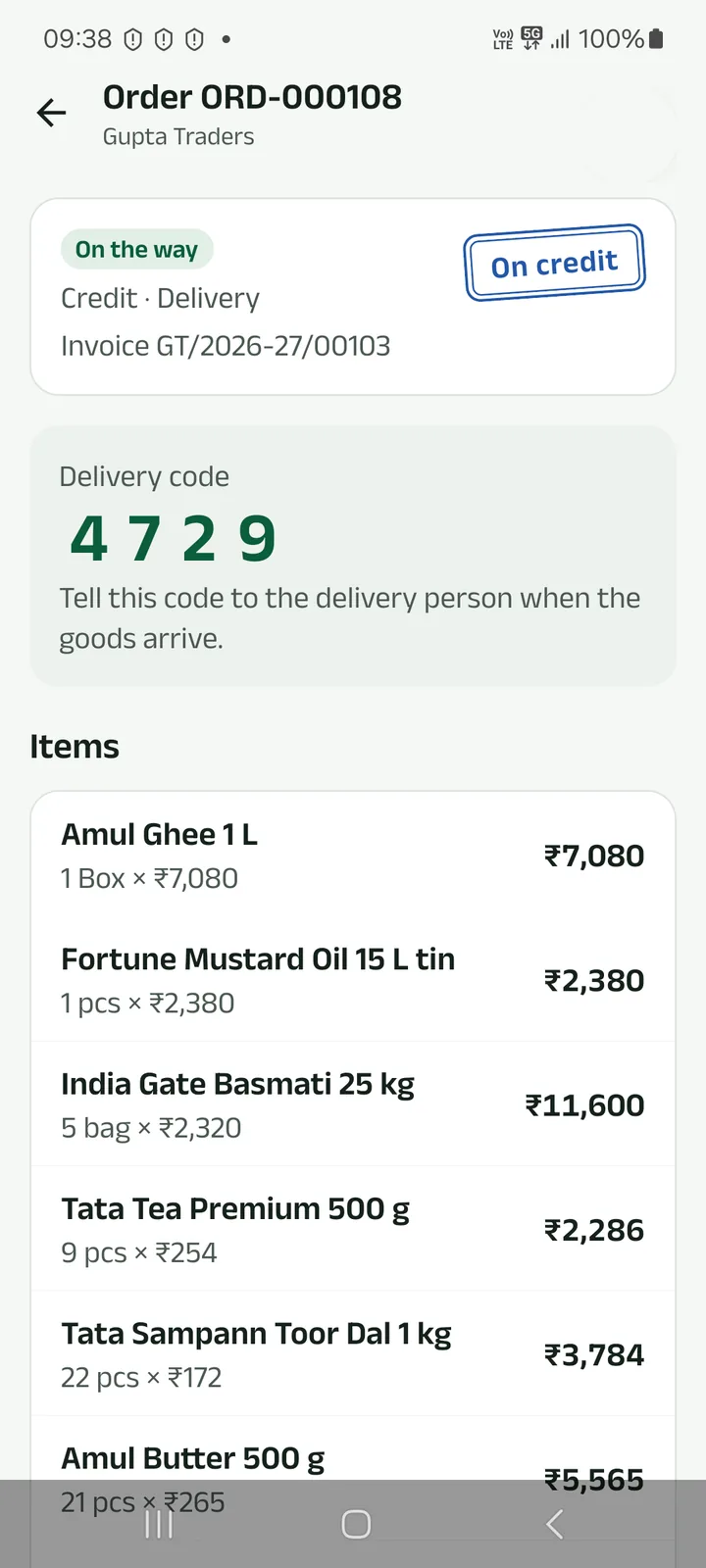
Step 4: Give the delivery code when it arrives
When the order is sent out you get the bill and a delivery code. Tell it to the delivery person only when the goods are with you.
Prefer to watch?
Order stock from your wholesaler’s catalogue at their prices, and follow it until it arrives.
Next tutorials
Get started
Pick your language, sign in with your mobile number and set up your business in four short steps.
Add a product
Add a product with its name in your language, a category, GST, opening stock and a low-stock alert.
Make a counter bill and print the receipt
Bill at the counter, take cash, UPI or credit, and print a 58 or 80 mm receipt or share it.
Try it in the app
Everything above works the same on your phone.