 ThokDukaan
Record a payment
Got cash, a cheque, UPI or a bank transfer from a party? Record it and the shared khata updates.
Step 1: Tap Record payment
On Home, or on the party’s own page. On the Parties tab, Collect opens it with the balance filled in.
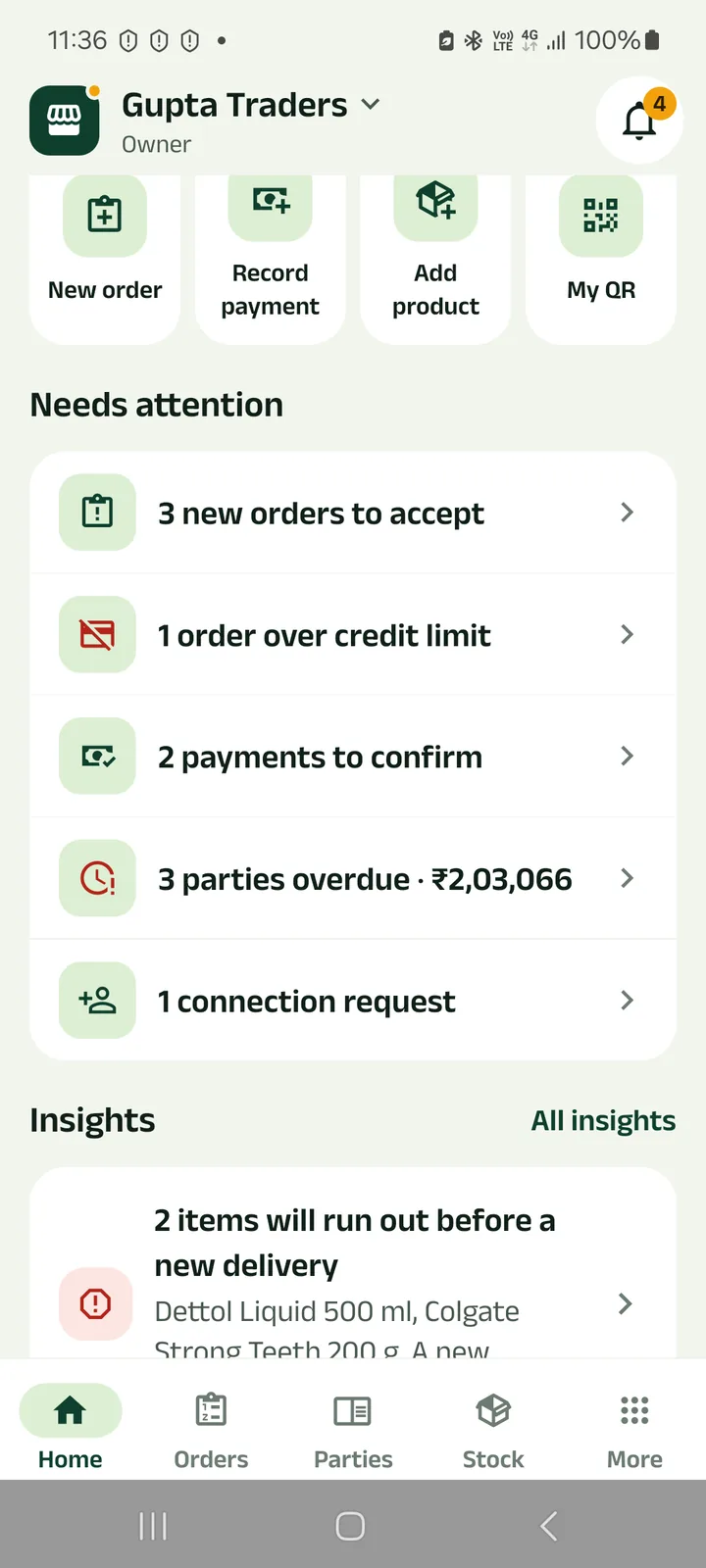
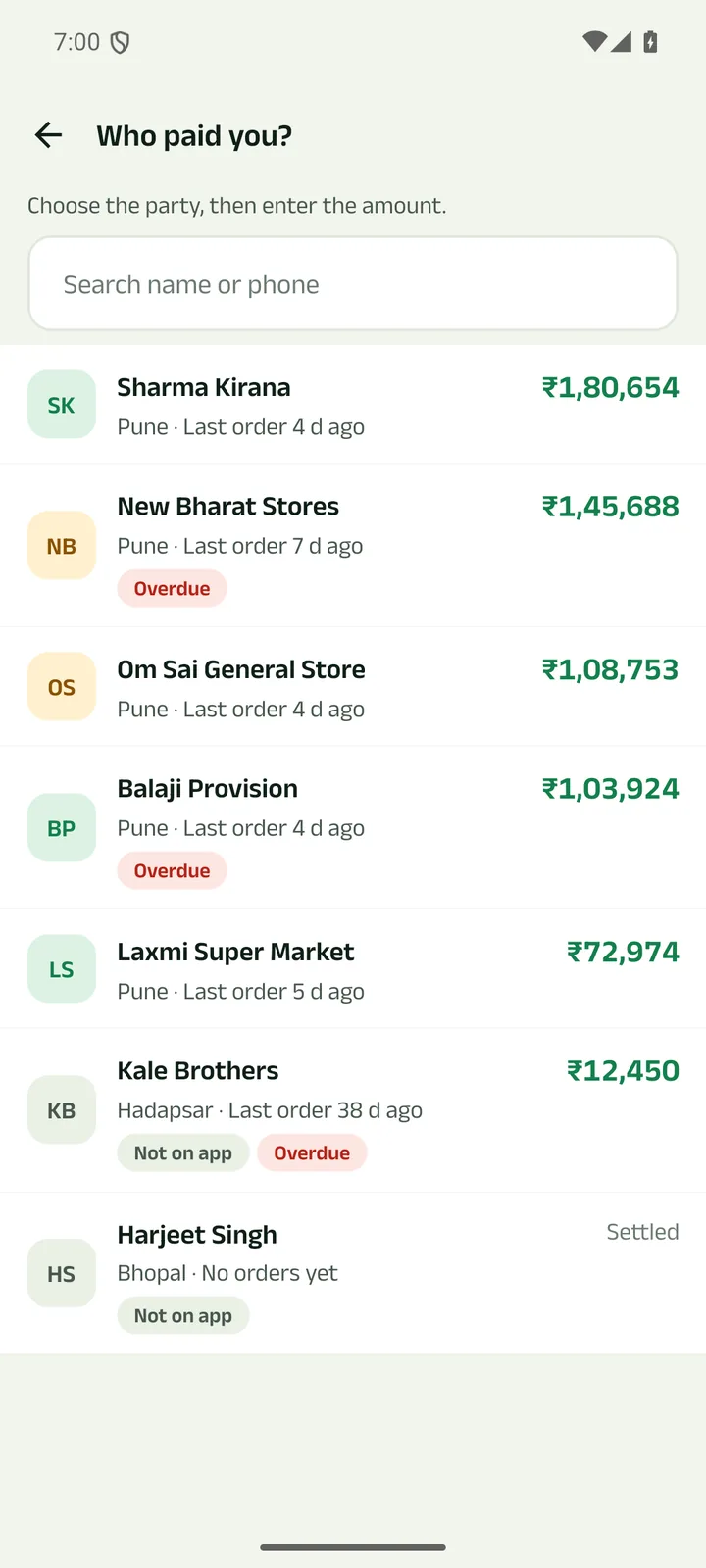
Step 2: Choose who paid
Search by name or phone. Each party shows what it owes.
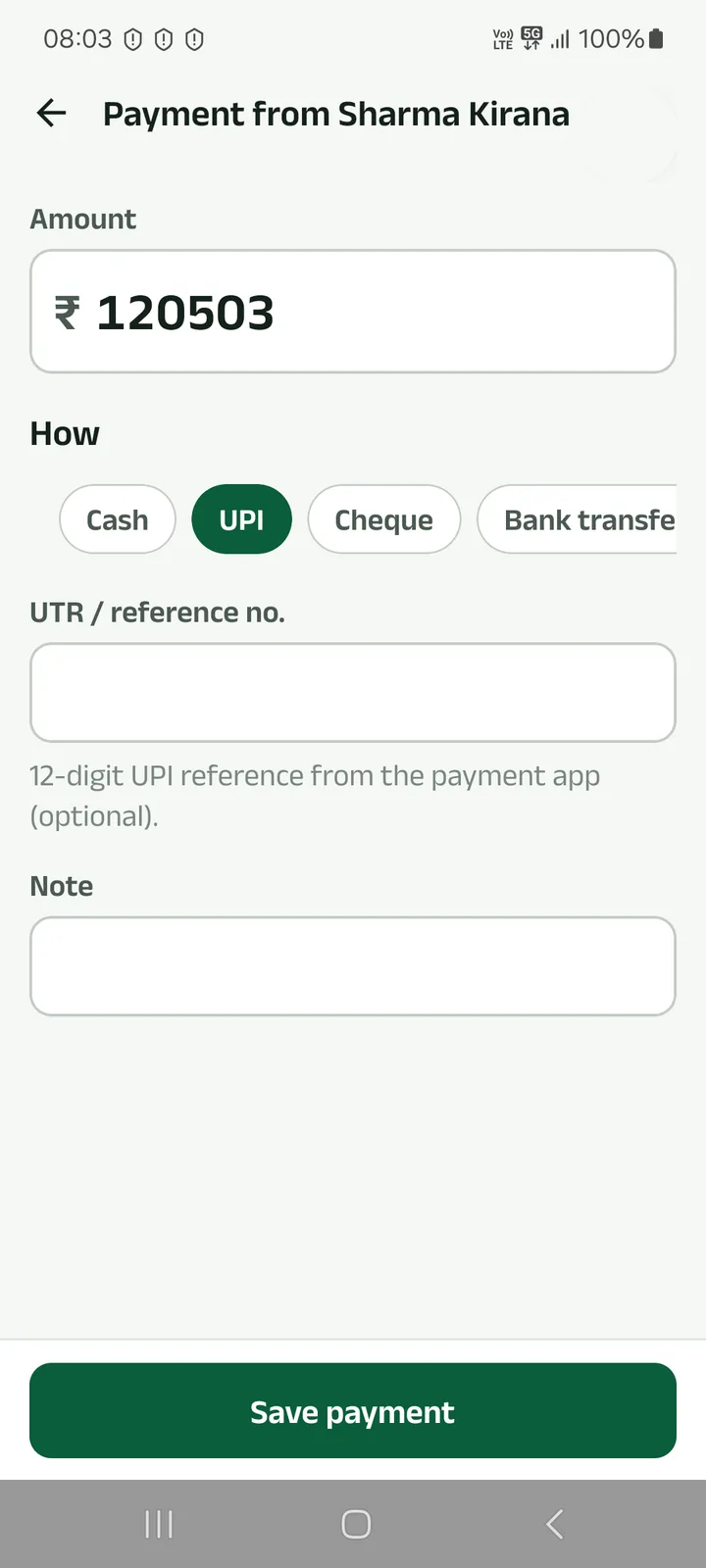
Step 3: Amount, how, and the reference
Cash, UPI, cheque or bank transfer. For UPI, add the 12-digit UTR if you have it. Tap Save payment.
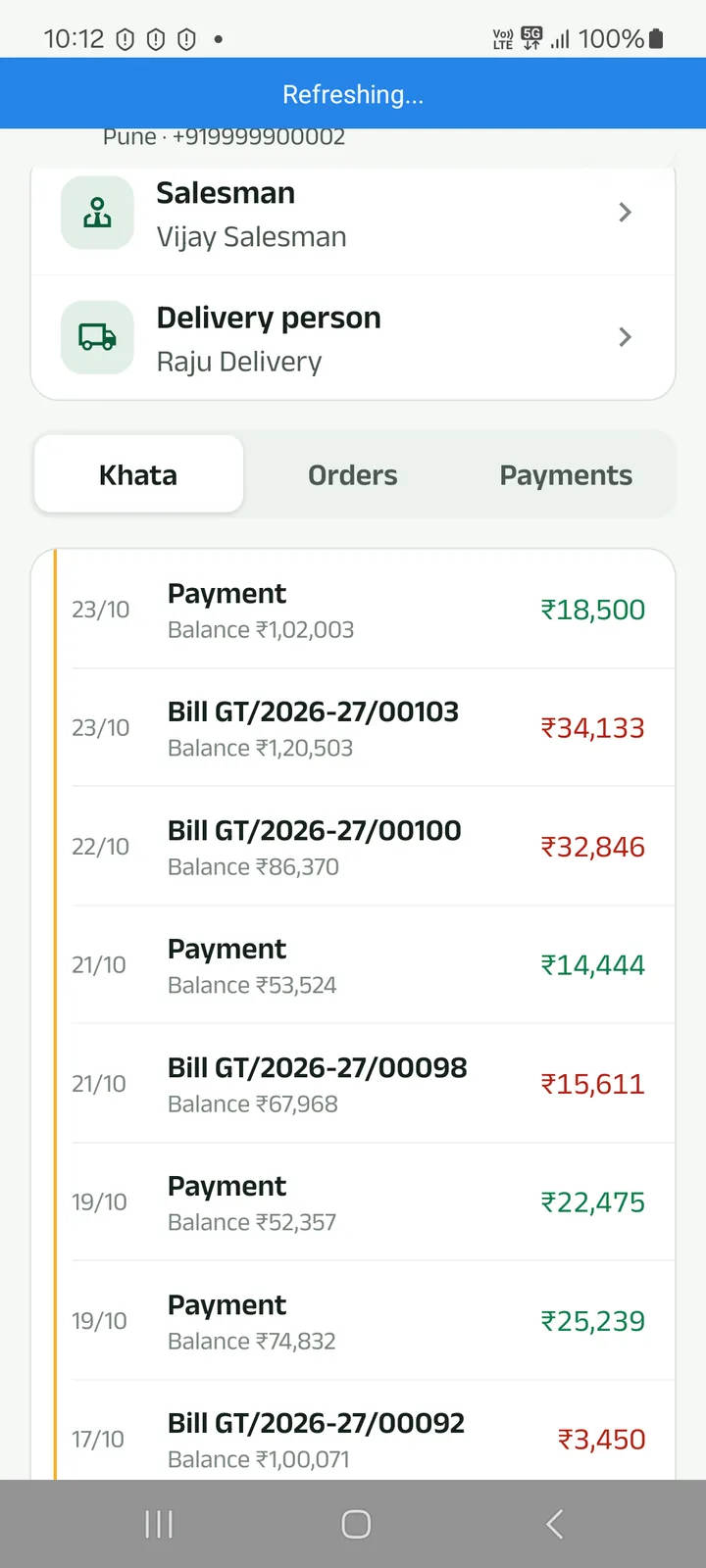
Step 4: It is in the khata
The payment and the new balance show in the khata, on your phone and on the party’s.
Next tutorials
Get started
Pick your language, sign in with your mobile number and set up your business in four short steps.
Add a product
Add a product with its name in your language, a category, GST, opening stock and a low-stock alert.
Make a counter bill and print the receipt
Bill at the counter, take cash, UPI or credit, and print a 58 or 80 mm receipt or share it.
Try it in the app
Everything above works the same on your phone.