 ThokDukaan
Remind a party who is overdue
Send a polite reminder on WhatsApp, with the balance and a UPI link to pay.
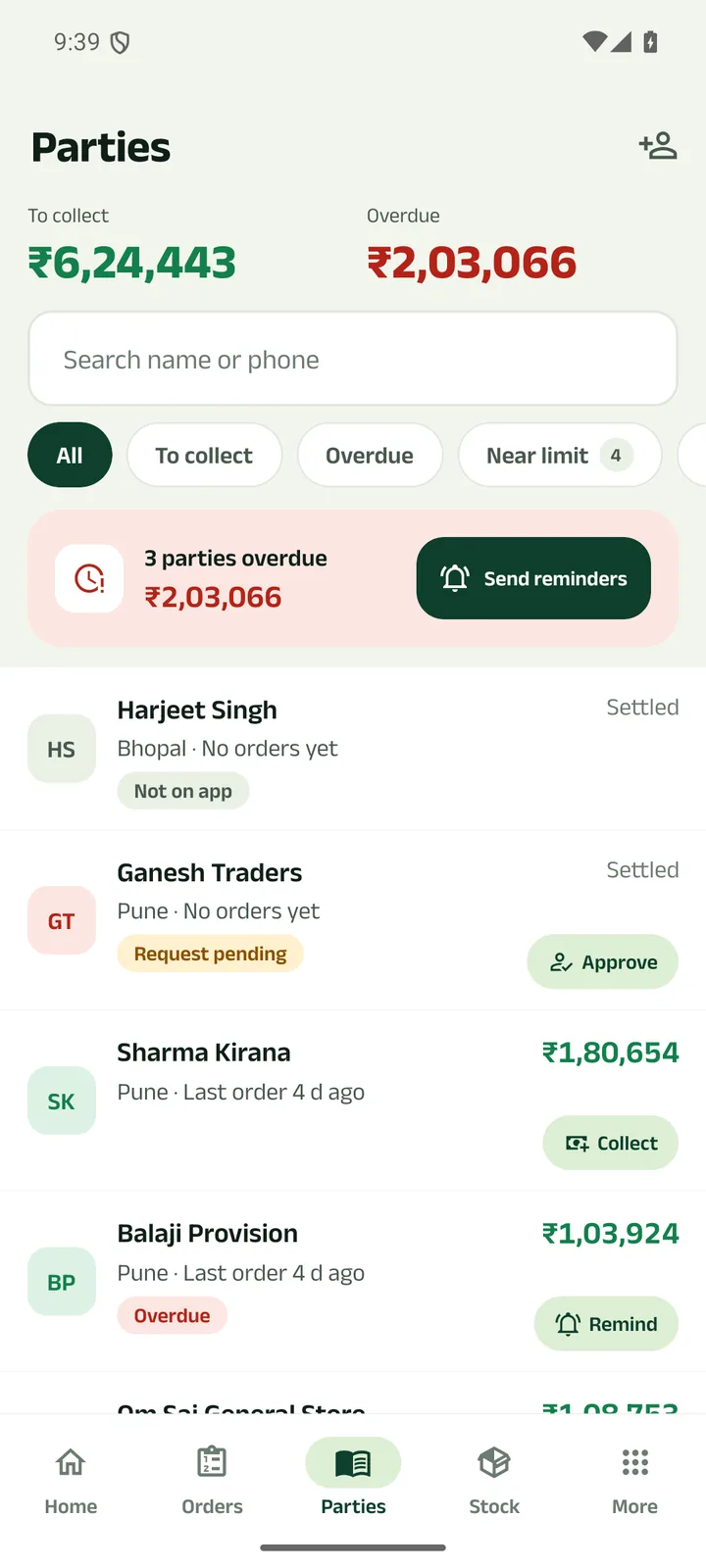
Step 1: Open Parties
When anyone is overdue, a bar at the top shows how many and how much. Tap its button, or Remind on one row.
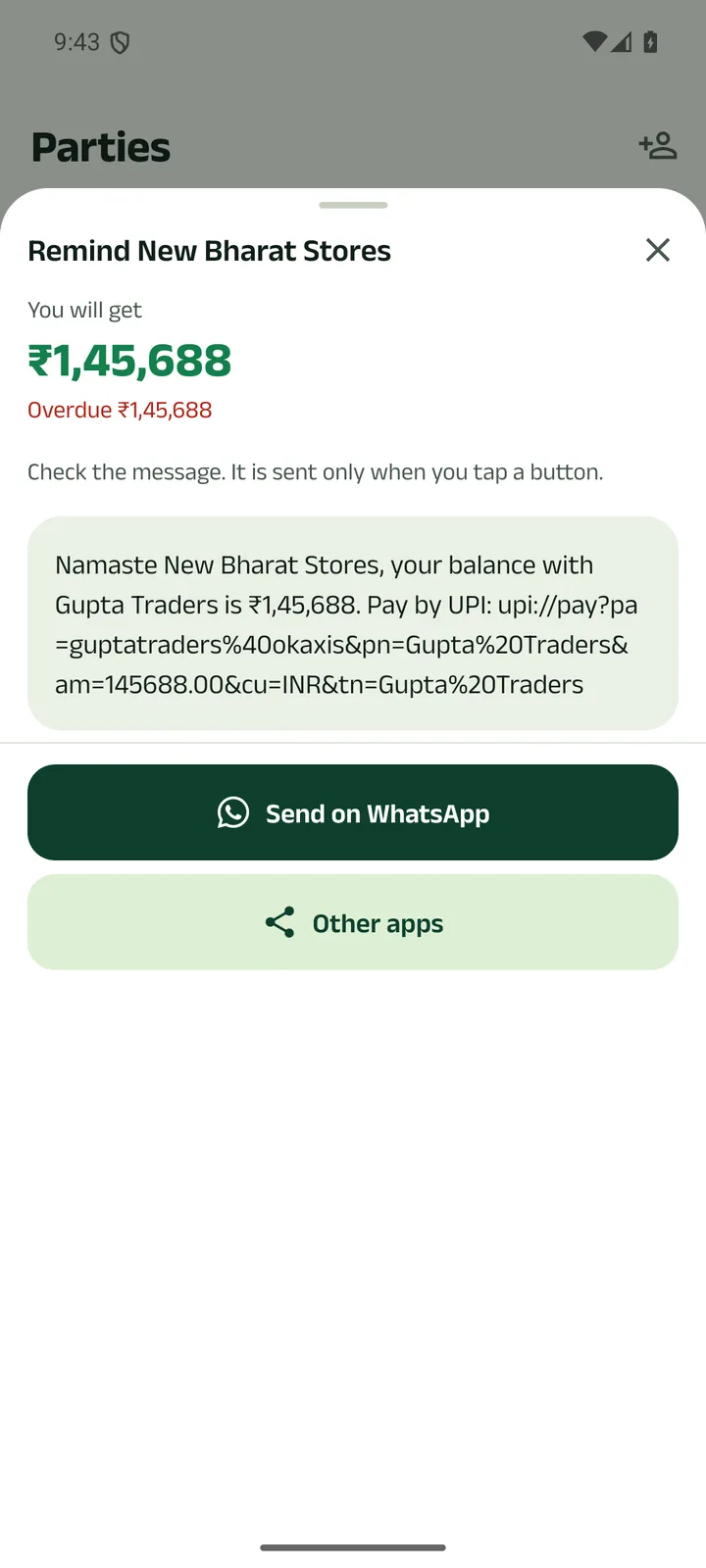
Step 2: Read the message
It has the balance and, once your UPI ID is saved, a UPI link to pay. Nothing is sent until you tap a button.
Step 3: Send on WhatsApp, or Other apps
Then “Remind next” takes you to the next overdue party. Reminded parties get a tick.
Prefer to watch?
Send a polite reminder on WhatsApp, with the balance and a UPI link to pay.
Next tutorials
Get started
Pick your language, sign in with your mobile number and set up your business in four short steps.
Add a product
Add a product with its name in your language, a category, GST, opening stock and a low-stock alert.
Make a counter bill and print the receipt
Bill at the counter, take cash, UPI or credit, and print a 58 or 80 mm receipt or share it.
Try it in the app
Everything above works the same on your phone.