 ThokDukaan
Print or share an order’s bill
Every order has its bill (a GST tax invoice when the seller is registered). Both the seller and the buyer can print it or share it as a PDF.
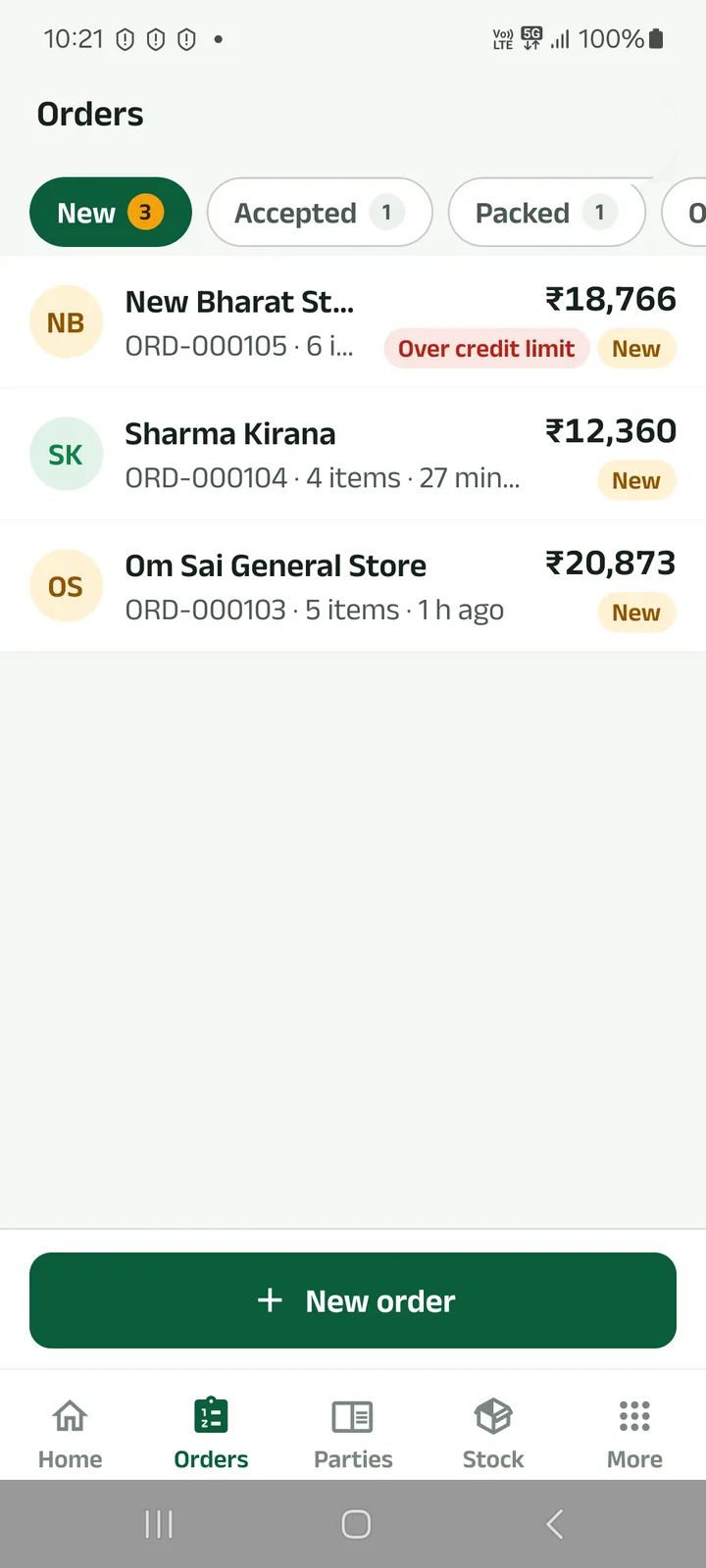
Step 1: Open the order
From Orders, or from the party’s page.
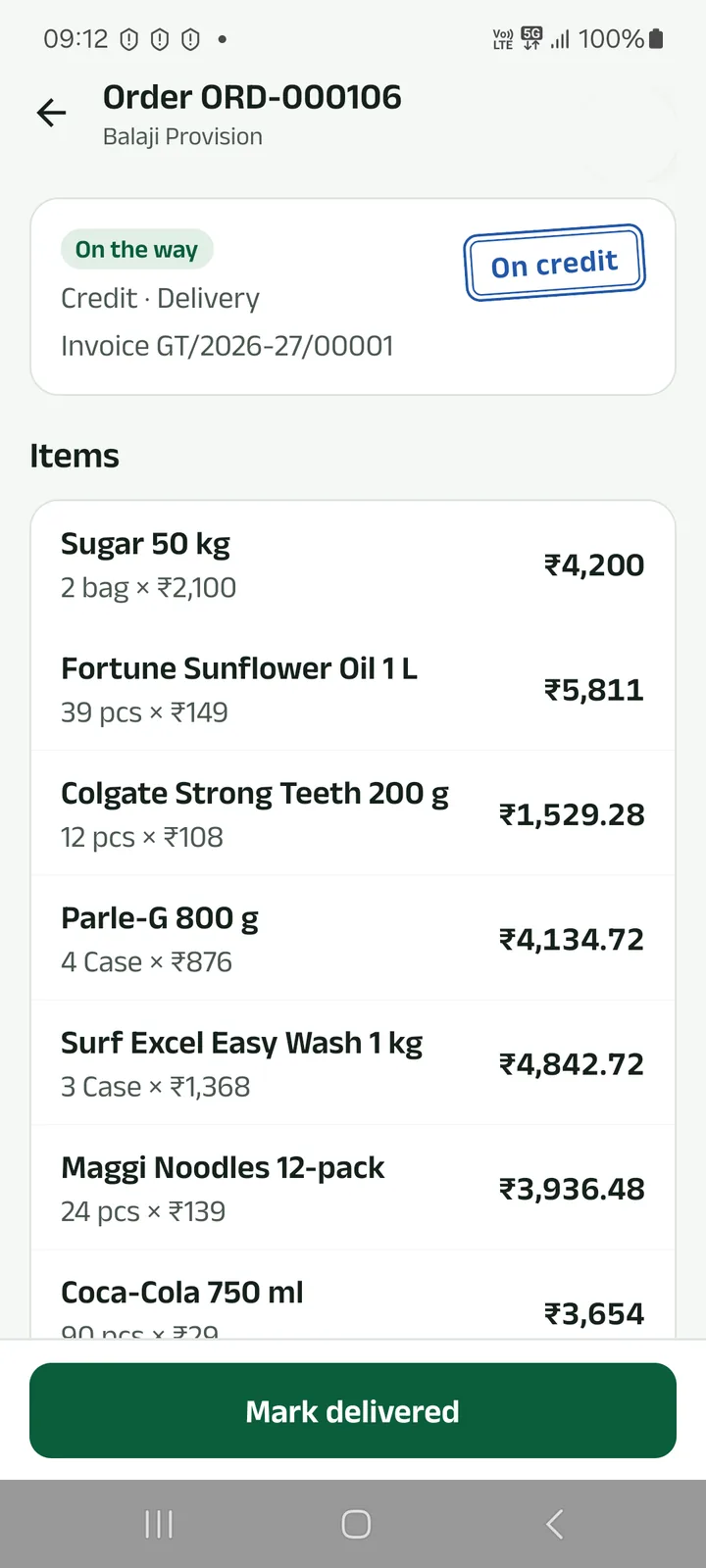
Step 2: Find its bill
Once the order is sent out it has an invoice number. Before that you can print an estimate.
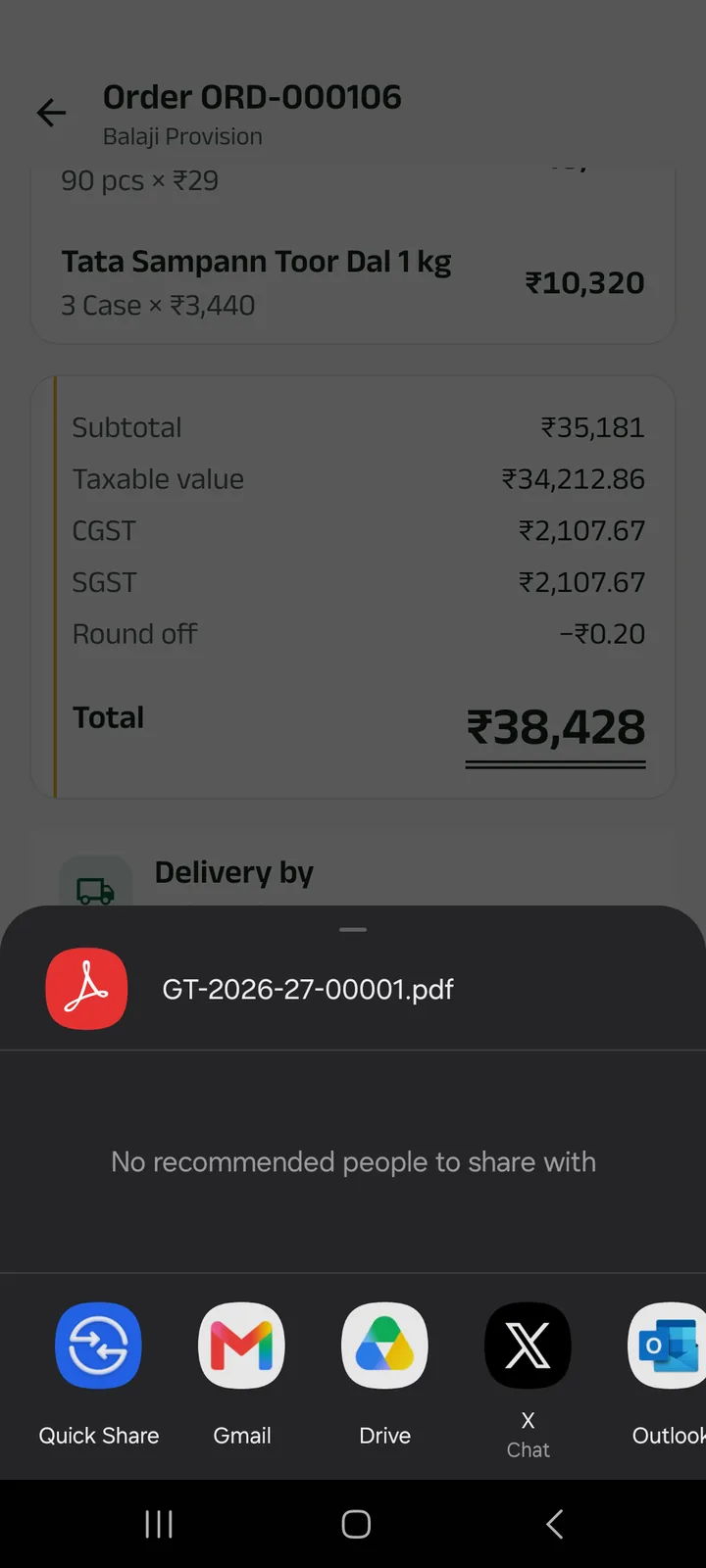
Step 3: Print it, or share the PDF
On an A4 page or a 58 / 80 mm roll. Share sends the PDF to WhatsApp, Gmail or any app.
With your UPI ID saved, an unpaid bill carries a UPI QR code for the amount due.
Next tutorials
Get started
Pick your language, sign in with your mobile number and set up your business in four short steps.
Add a product
Add a product with its name in your language, a category, GST, opening stock and a low-stock alert.
Make a counter bill and print the receipt
Bill at the counter, take cash, UPI or credit, and print a 58 or 80 mm receipt or share it.
Try it in the app
Everything above works the same on your phone.